Document editing and management suite
PDF Extra by MobiSystems is a versatile and professional alternative to industry-standard PDF suites designed to provide a seamless, Word-like editing experience for users across desktop and mobile platforms. Whether utilized for secure corporate contracts or personal archiving, the software prioritizes an intuitive workflow and robust cross-device connectivity, ensuring that critical documents remain accessible and manageable in a digital environment.
Top Recommended Alternative

Comprehensive editing and advanced OCR capabilities
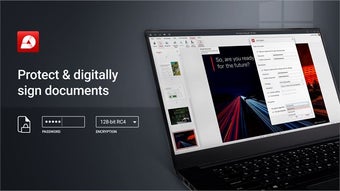
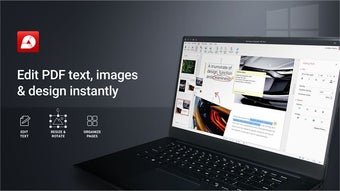
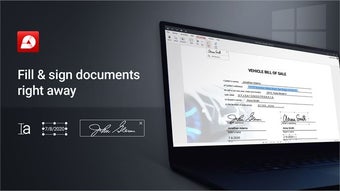
PDF Extra functions as a mid-tier alternative that offers a wide array of document manipulation tools that far exceed basic viewing. The platform includes a powerful Optical Character Recognition (OCR) engine that allows users to convert scanned paper documents and static images into searchable and editable text. Beyond standard text editing, the suite provides granular control over document structure, enabling users to rearrange, rotate, crop, and merge pages with a drag-and-drop organizer. For legal and administrative workflows, the software supports digital signatures, 256-bit encryption, and advanced form-filling, allowing users to certify the authenticity of their files before sharing.
However, it is important to note that there are features that are only available upon subscription to the software’s pro versions, as PDF Extra operates on a freemium monetization model. As a result, most advanced features are locked behind a paywall.
Cloud integration and synchronization capabilities
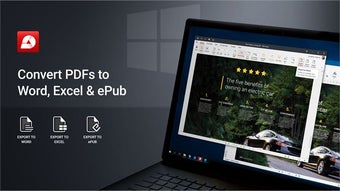
PDF Extra grants users cloud storage through the developer’s proprietary service, MobiDrive, to allow for a seamless workflow where a document can be scanned on a mobile device and opened on a desktop for complex editing. Additionally, the software includes a built-in converter that supports over 30 file formats, allowing for two-way conversions between PDF and Microsoft Office formats (Word, Excel, PowerPoint) as well as ePub and image files like PNG and JPEG.
Furthermore, while the conversion tools are versatile, users frequently report that complex document layouts can suffer from formatting distortion during the export process to Word or Excel, requiring manual correction. This results in high-fidelity document layouts often losing formatting when converted to Word or Excel.
A reasonable alternative for PDF management
PDF Extra is a feature-rich and technically competent PDF suite that offers professional tools like OCR and digital signatures at a low cost. Its familiar interface and deep cloud integration make it a strong choice for small businesses and students who require more than a basic reader. For users seeking a stable, lightweight editor, it remains a valuable resource for PDF management.